LaserBurnAI
An AI SaaS for beginner-to-intermediate makers who need vector-ready laser art without design skills.
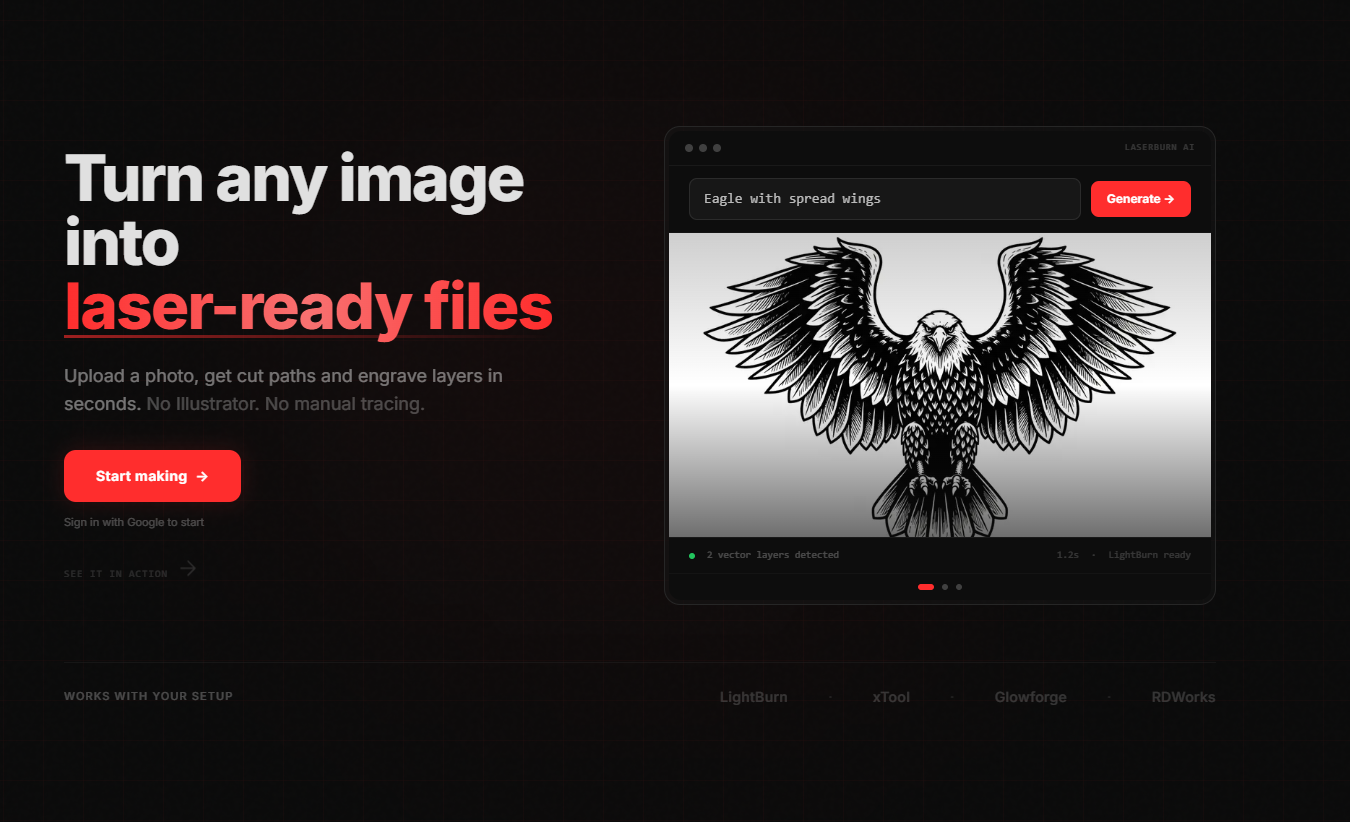
Beginner-to-intermediate makers use laser cutters — either personal machines or ones at a library/makerspace — and want to engrave or cut custom designs. The gap is design skills: producing a vector file that engraves cleanly and cuts cleanly is its own discipline. I built LaserBurnAI as the first user — I needed it for my own laser work — and the product has reached organic customers with no paid acquisition, just SEO.
Three choices that mattered.
- 01
Minimal controls. Hidden prompt scaffolding.
The user types plain language. Behind the scenes, the system augments the prompt with laser-engraving-specific style cues, contrast handling, and format directives. The "design skill" the user would otherwise need is moved into the system — no sliders for negative prompts, no model picker, no step counts. The product makes those choices once, in the build, so the user doesn't have to make them every time they generate.
- 02
Output designed for the cutter, not the screen.
Each generation produces both a raster preview and a vector SVG. The SVG includes a cut outline alongside the engraving path, so the file is ready to load directly into laser software. The deliverable isn't an image — it's a laser-ready asset. Designing for the downstream tool, not just the visible output, is the difference between a generator and a workflow.
- 03
One-shot credits + persistent library.
Each generation costs one credit; outputs save to a per-user library indefinitely. Deliberately rejects the "regenerate fifty times for free" pattern that creates decision paralysis in most AI image apps. The constraint forces the user to evaluate the output as-is, and the library means returning users don't lose work they liked yesterday.
Gemini under the hood for generation. Multimodal steering — users can input text and a reference image to influence the output — gives them a meaningful but bounded control surface: steer the look, don't tune the model. The human stays in the loop upstream (prompt + reference) and downstream (which saved generation to send to the laser), not during generation itself. Built with Claude Code and Gemini CLI as collaborators on the codebase.
Live SaaS with paying customers acquired organically through SEO — zero paid advertising. Built from a solo-founder need to validated demand.